Austrian Developer Creates Clawdbot: An Open-Source AI Assistant That Runs Locally

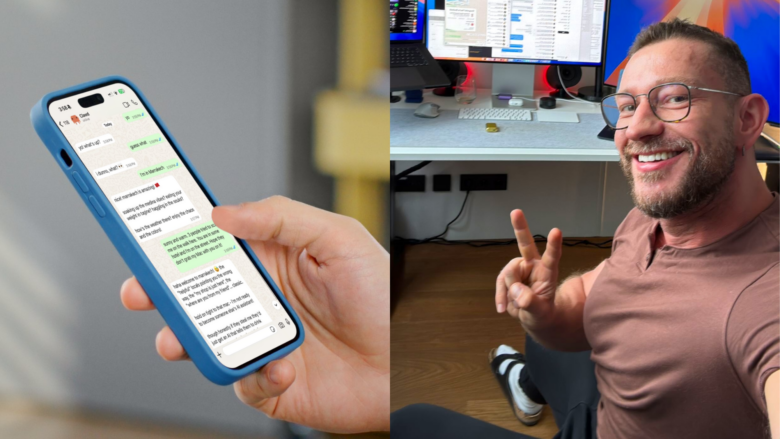


Austrian software developer Peter Steinberger has developed Clawdbot, a personal AI assistant that runs on your own computer and can be controlled via common messenger services. The open-source project has built an active community within just a few weeks and is being discussed as an alternative to commercial assistance systems.
The name “Clawd” is not coincidentally pronounced similarly to one of the world’s most well-known AI models: Steinberger used Claude Opus 4.5 from Anthropic to develop his very personal AI assistant and apparently drew inspiration from it when naming the project. Steinberger has become famous not only for the exit of his Vienna startup PSPDFKit to Insight Partners, but also enjoys an excellent reputation in the developer community.
Local execution instead of cloud service
Unlike established AI assistants such as Siri, Alexa, or Google Assistant, Clawdbot runs entirely on the user’s hardware. The software can be installed on macOS, Windows, and Linux and optionally uses language models from Anthropic (Claude), OpenAI (GPT), or locally executed models. All data remains on your own system, which gives the project a data protection advantage over cloud-based solutions. It should be noted that when connecting to Anthropic or OpenAI, you naturally send data to these companies for processing by their AI models.
The architecture is based on a central gateway that communicates with various messaging platforms via WebSocket connections. Users can address the assistant via WhatsApp, Telegram, Discord, Slack, Signal, iMessage, or other services without having to open a separate app.
Functionality and system access
Clawdbot has extensive system access rights. The assistant can read and write files, execute shell commands, control web browsers, and fill out forms. Additional functions can be added via a plugin system. The software can also program its own extensions if the user requests it.
Documented features include:
- Automatic email management and calendar organization
- Browser control for web research and data extraction
- Execution of system commands and scripts
- Integration with over 50 services and platforms
- Voice control on macOS, iOS, and Android
- Persistent context storage across sessions
Security concept and sandbox mode
The extensive system permissions raise security questions. By default, Clawdbot runs with full access rights for the user’s main session. For group chats and external channels, a sandbox mode can be activated that enforces execution in isolated Docker containers. The documentation recommends this configuration for all untrusted input sources.
For direct messages from unknown senders, the system uses a pairing mechanism by default. Unknown users receive a code and are only allowed to communicate after manual approval.
Reactions from the developer community
The project has received considerable attention in a short time. Users report a variety of use cases, from automating everyday tasks to enterprise management. Reactions on social media range from technical enthusiasm to fundamental considerations about the future of personal AI assistants.
“Open source built a better version of Siri while Apple (a $3.6 trillion company) slept for years,” commented one user on the development.
Other users describe the system as the “first true personal assistant” or compare the experience to the early days of ChatGPT. One user reported using the system for business management, while others reported automating health data, travel bookings, or software development.
Availability and outlook
Clawdbot is available as open-source software on GitHub and can be used free of charge. However, using it requires a subscription with Anthropic or OpenAI to access the language models; alternatively, locally executed models can be used. Steinberger recommends Anthropic Pro or Max with the Opus 4.5 model in the documentation for optimal results.
The project is actively being developed. In addition to the core software, there are optional companion apps for macOS, iOS, and Android that provide additional features such as voice control, camera access, or visual workspaces. The documentation includes detailed instructions for installation, configuration, and troubleshooting.
With Clawdbot, Steinberger demonstrates an alternative approach to commercial AI assistants: decentralized, transparent, and under complete user control. Whether this model can establish itself beyond the technically savvy target audience remains to be seen.