Anthropic’s Claude Becomes Like OpenClaw, Can Now Control Mouse and Keyboard


Set Trending Topics as a preferred source on Google.
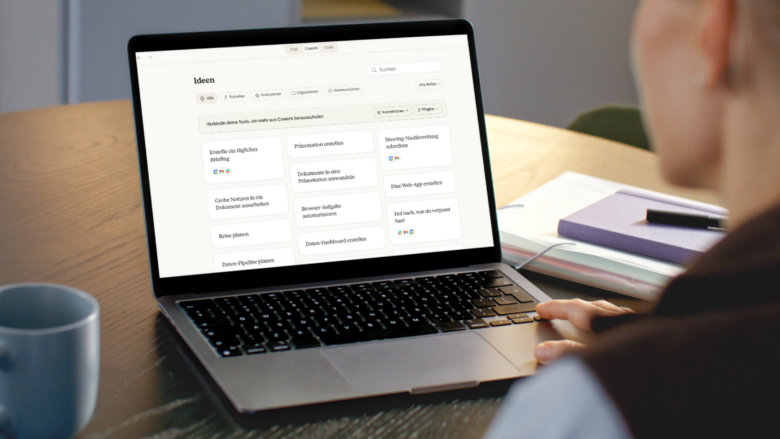
AI provider Anthropic is significantly expanding the capabilities of its chatbot Claude. With the new feature “Computer Use,” Claude can directly control a user’s screen — clicking, typing, and opening applications, just as a human would. The feature is currently in an early research preview and is available exclusively to paying users on the Pro and Max plans.
Computer Use was already demonstrated in 2025 but is now being rolled out more broadly. Experts will naturally notice that the control of mouse, keyboard, etc. is strongly reminiscent of OpenClaw. Anthropic even acquired the startup Vercept in February 2026 to strengthen “Computer Use.”
How the control works
Claude relies on a clearly defined sequence to complete tasks as efficiently as possible. First, the AI uses direct interfaces to connected services such as Gmail, Google Drive, or Slack. If no such connection is available, Claude navigates within the Chrome browser. Only when that is not possible either does Claude take over direct screen control via mouse and keyboard.
Technically, this works via screenshots: Claude continuously captures the screen to recognize the current state of applications and respond accordingly. The feature runs outside an isolated sandbox — directly on the user’s real desktop.
What Claude can and cannot do
| Claude can | Claude may not |
|---|---|
| Compile competitive analyses from local files and connected tools | Execute stock trades or investment transactions |
| Test apps in the smartphone simulator and document UX issues | Enter sensitive personal data such as passwords or health information |
| Populate and format spreadsheets with data from multiple sources | Collect or scrape facial images |
| Operate internal dashboards or specialized tools without an API connection | Access banking, healthcare, or government apps |
| Complete tasks in the background while the user is away from the computer | Delete or modify files without explicit permission |
| Open and control applications after approval by the user | Access applications on the user’s blocklist |
Security and privacy
Anthropic emphasizes that Claude obtains explicit permission from the user before accessing each individual application. Investment and crypto platforms are blocked by default. Users can also create their own blocklist of applications that Claude is never allowed to open.
Since Claude continuously takes screenshots for screen control, the AI potentially sees all information visible on the screen, including personal documents, private messages, or confidential data. Anthropic therefore explicitly recommends closing sensitive applications before use.
“Computer Use is a new capability, and the threats it is designed to guard against are constantly evolving. Claude makes mistakes, and no safeguards are perfect.”
Current limitations
- The user’s desktop must be active and the Claude desktop app must be open.
- Complex multi-step tasks may fail and require a second attempt.
- Screen control is significantly slower than direct API connections.
- The feature is currently only available on macOS; Windows support is planned.
- Team and Enterprise plans do not have access for the time being.
Assessment
With “Computer Use,” Anthropic is following a trend pursued by other AI providers as well: AI systems should no longer merely generate text, but act autonomously and carry out tasks on the computer. Anthropic itself describes the current version as an early research preview and acknowledges that the safeguards are not yet mature. Users are explicitly encouraged to monitor the AI while it works and to delegate only simple tasks at first.